Skip to main content
Contents
Search Book
Search Results:
No results.
Read aloud Readability settings Prev Up Next \(\newcommand{\definiteintegral}[4]{\int_{#1}^{#2}\,#3\,d#4}
\newcommand{\indefiniteintegral}[2]{\int#1\,d#2}
\newcommand{\lt}{<}
\newcommand{\gt}{>}
\newcommand{\amp}{&}
\definecolor{fillinmathshade}{gray}{0.9}
\newcommand{\fillinmath}[1]{\mathchoice{\colorbox{fillinmathshade}{$\displaystyle \phantom{\,#1\,}$}}{\colorbox{fillinmathshade}{$\textstyle \phantom{\,#1\,}$}}{\colorbox{fillinmathshade}{$\scriptstyle \phantom{\,#1\,}$}}{\colorbox{fillinmathshade}{$\scriptscriptstyle\phantom{\,#1\,}$}}}
\)
Section 1.8 Graphics in Exercises
It is natural for exercises to have graphics. For example, an exercise might produce a graph of some kind, and ask the reader to extract some information from that graph.
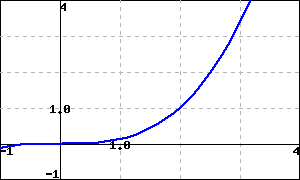
If your WeBWorK server is version 2.19 or later, WeBWorK problems can process
<latex-image> code. Here is an example.
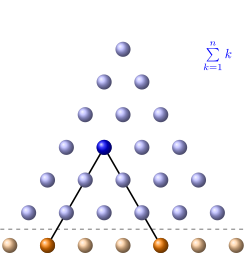
Checkpoint 1.8.1 A static <latex-image> graph.
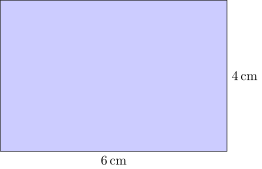
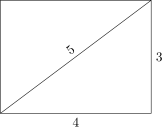
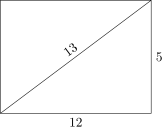
Checkpoint 1.8.2 A randomized <latex-image> graph.
These images may depend on the random seed. In this problem, the height and width of the rectangle are randomized.
Activate
Find the area of the rectangle.
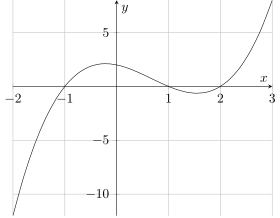
Checkpoint 1.8.3 A <latex-image> graph affected by <latex-image-preamble>.
This sample chapter’s
<docinfo> has a
<latex-image-preamble>. This exercise has graph styling that is affected by that.
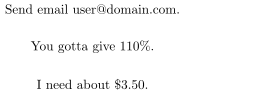
Checkpoint 1.8.4 Special characters.
This exercise is to test that special characters behave.
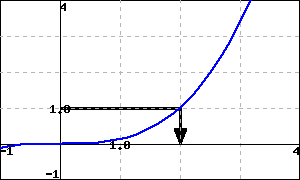
An older mechanism for creating images is supported and demonstrated here.
Checkpoint 1.8.5 Solve using a graph.
Exercises Exercises
Exercise Group.
This exercisegroup has a
<latex-image> image in its introduction. In standalone versions of the exercise, this image should be repeated.